
AIM makes it simple to locate any invoice.
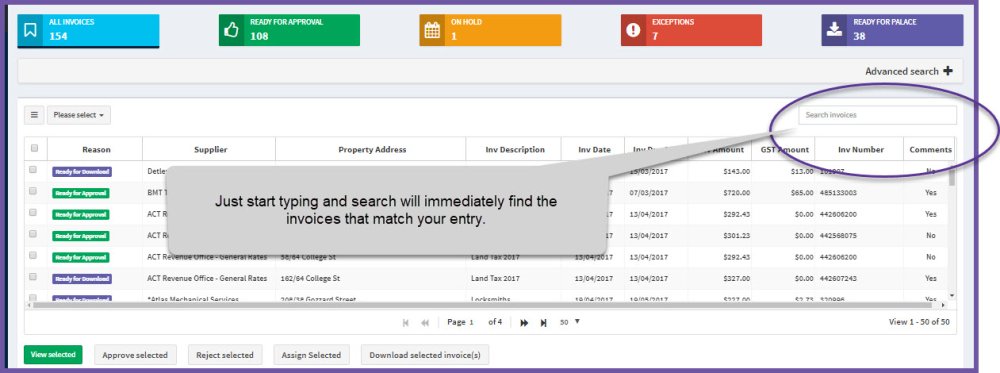
The easiest way to search current invoices is to use the quick search box on the My Approvals page.
Position your cursor in the search field and start typing. AIM will return any matching data from any field – for example, if you enter ACT and have invoices with a supplier such as ACT Revenue Office, AIM will return all invoices for the ACT Revenue Office. It will also return all invoices where the property is listed in ACT in the Property Address field.
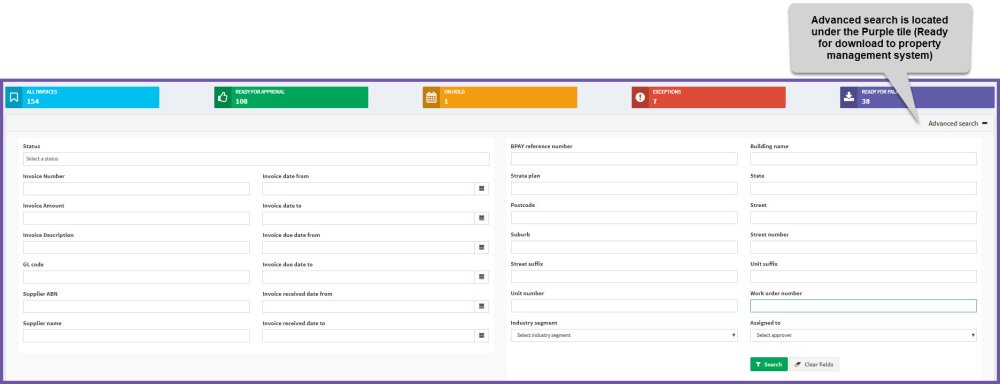
Advanced search allows you to find all invoices, including archived or deleted invoices.
Step 2 - Enter your search criteria
Step 2 - Search
Comments
0 comments
Article is closed for comments.