
AIM selects a GL (chart of accounts) code for each invoice. If your Property Management/Strata Management system allows you to set default GL codes for suppliers, that code is selected for all invoices from that supplier. If not, AIM will select the last GL code used on an invoice for that supplier/property combination for the next invoice processed.
Default GL code rules for a Supplier/Property combination override any system data being received from your property management/strata management software.
Default GL codes are set by an admin user from Administration>System Data.
Follow these setps to set a Default GL code for a specific Supplier and Property combination
Select System Data from the Administration menu.
Step 1 - From System data, select Default GL Codes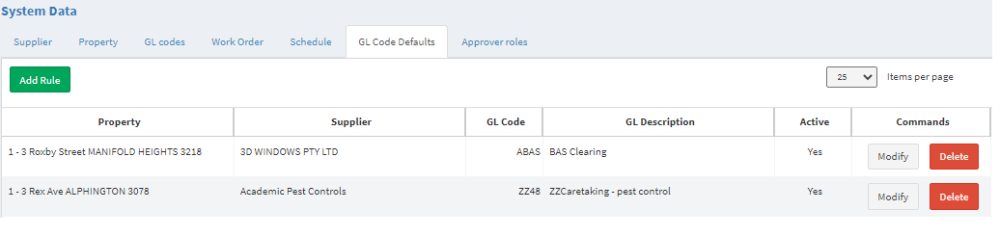
Step 2 - Add
Step 3 - Select the Supplier, Property and GL code
Step 3 - Save
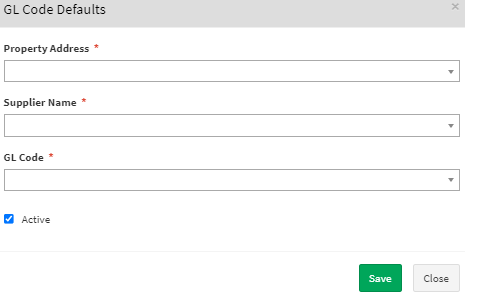
To edit a rule, select the row and Modify
To delete a rule, select the row and Delete
Related articles:
Why can't I update Supplier, GL Code or Property information in AIM?
Comments
0 comments
Article is closed for comments.