
The file upload function allows you to upload documents to be stored in AIM for future reference. Documents uploaded here will not be processed. You should email any invoices you want processed to your dedicated @reignstorm email address.
Files must be in PDF, Word, JPEG or TIFF format.

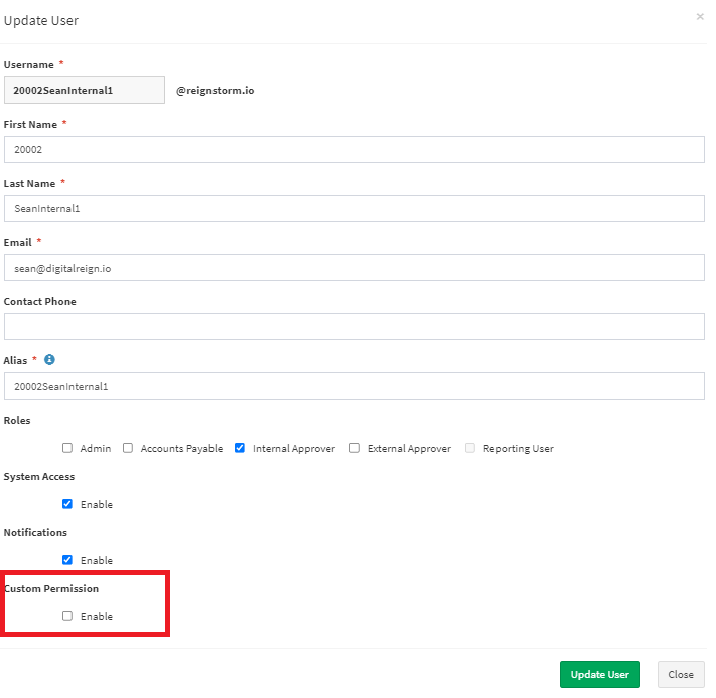
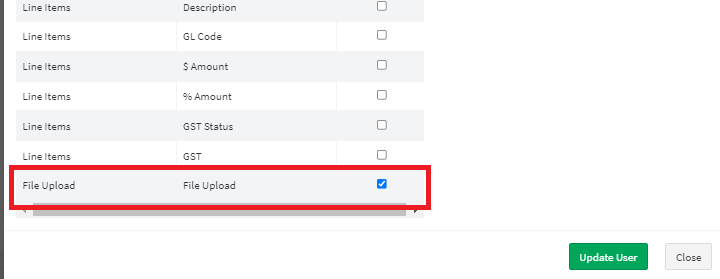
File upload can be enabled for internal users by enabling the custom permission on their user card.
Select User Maintenance from the Administration Menu
Find the user and select Modify
Select Custom Permission on the user card.
Select File Upload and then Update User
Comments
0 comments
Article is closed for comments.