
GL Codes are synced from your property management/strata management system at regular intervals (usually each night)
You can assign a GL group to each code. This allows you to create different workflow rules for each group.
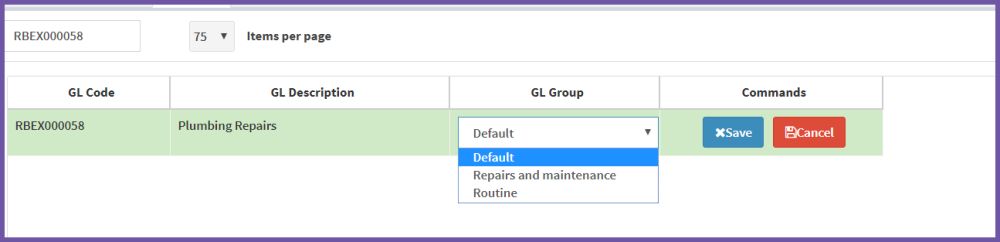
There are three groups - default, routine and repairs and maintenance.
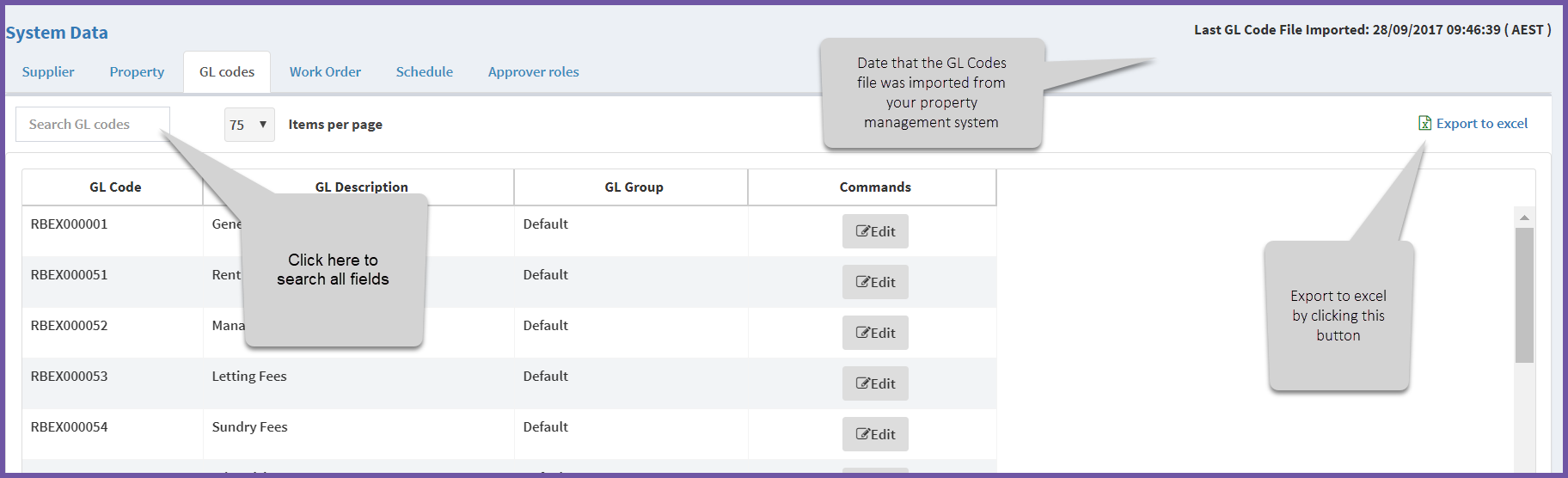
To edit GL code groups:
Step 1 - Find the code to change
Step 2 - Select Edit.
Step 3 - Select the group from the dropdown list
Step 4 - Save
Related articles
Why can't I update Supplier, GL Code or Property data in AIM?
Comments
0 comments
Article is closed for comments.