
Basic Workflow is the default workflow for AIM.
Workflow rules determine who needs to approve each invoice and the order in which they need to approve them.
Admin and AP users can set basic workflow rules.
The rules you set apply to all invoices except those that fit your STP (Straight Through Processing) criteria.
Basic workflow allows you to set your workflow rules based on client segment – whether Strata, Residential Property Management or Commercial Property Management. If you only work in one segment, you only have to set the configuration for that segment.
Each of your General Ledger (GL) codes – (chart of accounts codes) – is then allocated to a group. You can select from Routine Repairs and Maintenance or Default groups for each of your General Ledger Codes
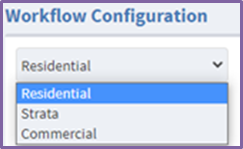
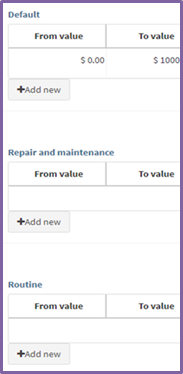
Each rule has a From value and a To value. If an invoice matches the Client Segment and GL Group type and its value is between the rule’s range, it will follow that rule. Each GL Group can have multiple levels of approval, based on dollar amounts. For example, you might only want one approver to approve an invoice of a low value but invoices of higher value might need multiple approvers.
The rule allows you to specify your own sequence of Approvers – from Internal Approver 1-4 and then External Approver 1-4 if needed.
Invoices that meet the rule’s specifications will go to the selected Approvers. The actual approver users for each property are specified in System Data>Property Tab.
These videos explain how basic workflow works.
Comments
0 comments
Article is closed for comments.